
The group-chat reveal
Cast yourself as the seated companion and send friends your unexpected fairy-tale cameo.
The tiptoe dance, with your photos
Step into the fairy-tale barn. Turn authorized adult portraits into a Rumpelstiltskin dance video, without a prompt or a dance video upload.
One photo casts the seated companion. Two photos cast both the dancer and companion.
13 seconds · 480p · 16:9 · silent · 1 credit
Choose your cast, upload a clear portrait, then generate. Sign in and verify your email before using purchased credits.
Same output. Same 1-credit cost. No prompt, reference video or timeline to edit.
Real AI-generated result
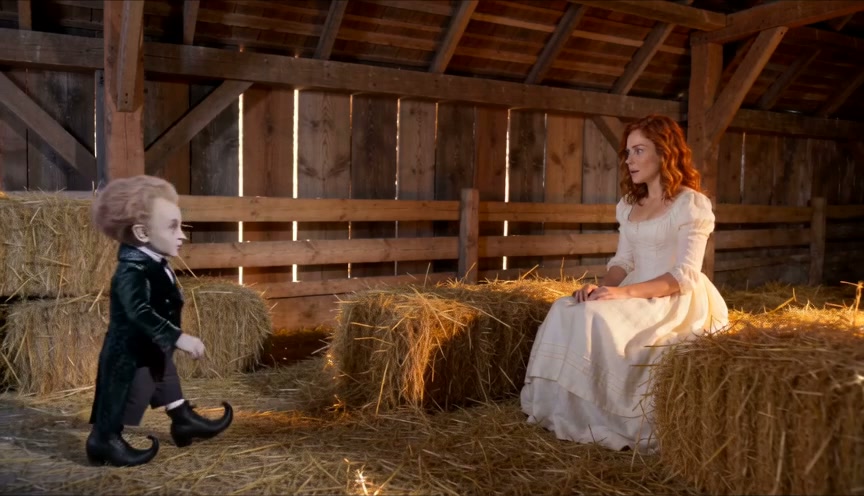
Made here with one fictional adult portrait in Solo mode. The portrait becomes the seated woman; the dancing imp uses our fixed character reference. This unedited result shows the generated faces, movement and camera cuts. Results vary.
Use one clear adult portrait for Solo, or two separate portraits for Duo. Confirm permission for third-party AI processing.
One credit starts the preset scene. Character preparation and video rendering run in the background; there is no guaranteed completion time.
Find the result in private History, even if you close the page. Download before the displayed expiry; the default is 7 days.
A confirmed failed generation returns its reserved credit. An uncertain submission stays under review to prevent a duplicate charge.
The Rumpelstiltskin tiptoe dance pairs a mischievous fairy-tale character with a watching companion in a hay-filled barn. This photo-to-video tool recreates that idea with your selected cast.
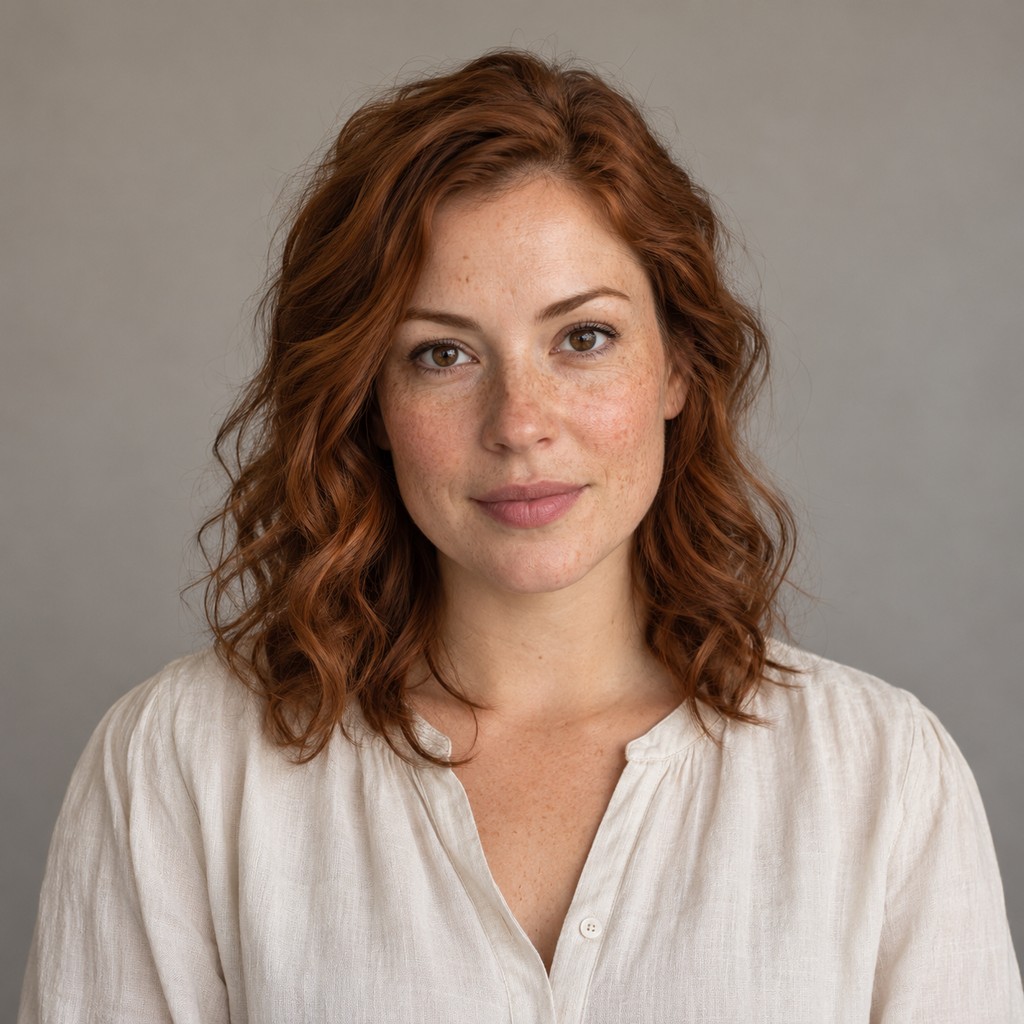
Use a well-lit, front-facing selfie or portrait with an unobstructed face. A full-body photo is not required. Keep one adult in each image.
Clear face. Natural light. One adult.
Avoid sunglasses, heavy filters, face coverings and group photos.
JPEG, PNG or WebP · up to 4 MiB each · both dimensions above 300 and below 6000 px · aspect ratio 0.4–2.5. Duo uses two different photos.
Cast yourself as the seated companion and send friends your unexpected fairy-tale cameo.
With permission from both adults, cast a friend as the dancer and yourself as the companion.
Download the silent landscape clip, add your caption and licensed audio, then crop if your social format needs it.
Uploads and results use private storage and account ownership checks. They are not a public gallery. Kie AI and its downstream models process the photos to make your video.
Application defaults: unused uploads expire after 24 hours; used photos and character references after 24 hours from completion; results after 7 days. Cleanup can be delayed for active or uncertain tasks. Provider copies and backups follow separate policies.
Read the privacy policyBuy only the credits you need. Solo and Duo each use 1 credit. No subscription, no automatic renewal, no expiry on purchased credits.
$2.99one-time USD
1 credit
View packs & checkout$6.99one-time USD
3 credits
View packs & checkout$17.99one-time USD
10 credits
View packs & checkoutFree registration starts with 0 credits. Video generation is paid. Availability and checkout status are confirmed on the pricing page.
Full-pack refunds can be requested within 14 days if the entire purchased pack is unused. Refund policy
General video tools offer broader control. This generator keeps the choices focused on your cast and this fairy-tale scene.
| Workflow | General AI video tools | AI Rumpelstiltskin |
|---|---|---|
| Scene direction | Usually write and refine prompts | Preset tiptoe barn scene |
| Inputs | Depends on the tool and model | One or two authorized portraits |
| Controls | Often many creative settings | Solo or Duo; fixed output specs |
| Motion | Directed through your instructions | Preset choreography; results vary |
Straight answers about the dance, your photos, private results and credits.
AI Rumpelstiltskin is a photo-to-video tool for recreating a fairy-tale tiptoe barn dance with authorized adult portraits. Solo casts the seated companion; Duo casts both characters.
It is a fairy-tale meme scene with a mischievous character tiptoeing and dancing beside a seated companion in a hay barn. This tool makes an AI recreation of that idea.
No. This service creates a new AI video. It is not the original viral clip or a film scene, and results are not frame-for-frame copies.
No. Upload only the required portrait photos. The scene and choreography are guided by the preset prompt.
No. Choose Solo or Duo, add the photos, confirm permission and generate. There is no prompt box or editing timeline.
Solo uses one photo for the seated companion and keeps a fixed imp reference for the dancer. To personalize the dancer, choose Duo and upload separate dancer and companion portraits.
Use a clear, well-lit portrait of one adult, facing the camera with the face visible. Avoid heavy filters, sunglasses and covered faces.
Yes. A clear front-facing selfie is suitable if it meets the file requirements and you have permission to use it.
No. A clear face and shoulders are enough as a starting point. The AI creates the costume and body, so details can differ from the input.
Choose Duo and upload two separate photos with one adult in each. A single group photo is not the supported Duo input.
Only with explicit permission from the adult shown for this third-party AI image and video processing, and with the necessary rights to the photo.
A public photograph is not permission. Do not upload a celebrity portrait without explicit authorization and the necessary photo rights.
No. This release is for adults aged 18 or older. Do not submit photos of minors.
Use JPEG, PNG or WebP up to 4 MiB per photo. Both dimensions must be greater than 300 and less than 6000 pixels, with an aspect ratio between 0.4 and 2.5. Duo needs two different photos.
Each Solo or Duo video is 13 seconds long.
We request the 480p landscape preset in 16:9. Encoded dimensions can vary slightly: our real sample is 864 × 496 pixels. Native 9:16 and higher-resolution presets are not offered in this release.
No. The output is silent. Add music only when you have the appropriate rights or permission through your chosen platform.
The application does not add a branding watermark to the downloaded video. AI-generated visual artifacts can still occur.
You can download the MP4 for sharing subject to photo rights, platform rules and the Terms of Service. The output is landscape; crop or reframe it if you want a vertical edit, and label it as AI-generated when required.
Character preparation and video rendering happen asynchronously. Timing depends on provider queues and service capacity; there is no guaranteed completion time. Check the task status in History.
Yes, after the task has been accepted. Processing continues in the background and the task is available in your signed-in History.
Sign in to the same account and open History. Completed, unexpired videos can be previewed and downloaded there.
A confirmed failed generation returns its reserved app credit exactly once. If the supplier submission outcome is uncertain, the credit remains held during reconciliation. Do not create duplicate submissions.
No exact resemblance is guaranteed. Photos guide the selected characters, but AI can change facial details, hair, clothing, bodies and motion. Review the video before sharing.
Uploads and generated results are private to your account, with ownership checks and time-limited media access. They are not automatically published as examples.
Application defaults expire unused uploads after 24 hours and used photos and character references 24 hours after task completion. Active or uncertain tasks and cleanup retries can delay deletion. Supplier copies and backups have separate policies.
The application default is 7 days for generated results. Check the expiry shown for your result and download it in time. Cleanup and backup retention are separate.
You can request media deletion from signed-in History or contact support. Cleanup can be delayed for active or uncertain tasks; application deletion does not establish deletion of supplier copies.
Yes. Kie AI processes character images with Seedream 4.5 Edit and video with Seedance 2 Fast. Downstream providers may process inputs. Provider retention and training-use conditions are not fully verified; see the Privacy Policy.
Registration is free and starts with 0 credits. There is no free generation or subscription. Buy a one-time credit pack to generate.
Solo and Duo each reserve 1 credit per video. A successful generation consumes that credit; confirmed failure returns it.
The approved USD catalog is Single: 1 credit for $2.99; Starter: 3 for $6.99; Creator: 10 for $17.99. Check the pricing page for current checkout availability.
Purchased credits do not expire. Photos and videos have separate expiry periods; non-expiring credits do not mean files are stored forever.
You can request a full refund within 14 calendar days after payment if the entire purchased pack is unused. Other billing and delivery issues are reviewed by support. Mandatory consumer rights remain unaffected; see the Refund Policy.
One photo for the companion. Two to cast the whole scene.
Create my Rumpelstiltskin video